How to Evaluate Amazon Product Demand for Better Video Decisions
Learn how to evaluate Amazon product demand using sales trends, keywords, competition, and customer insights before you sell.

Choosing what to film is one of the most important parts of building an Amazon creator business. A polished video may earn little when a product has weak demand or limited placement opportunities. A product with steady sales, manageable competition, and worthwhile commissions has a stronger chance of producing ongoing earnings.
Start with three questions. Is the listing generating consistent sales, is there a realistic opportunity for Amazon to surface your content, and what could one qualifying sale pay?
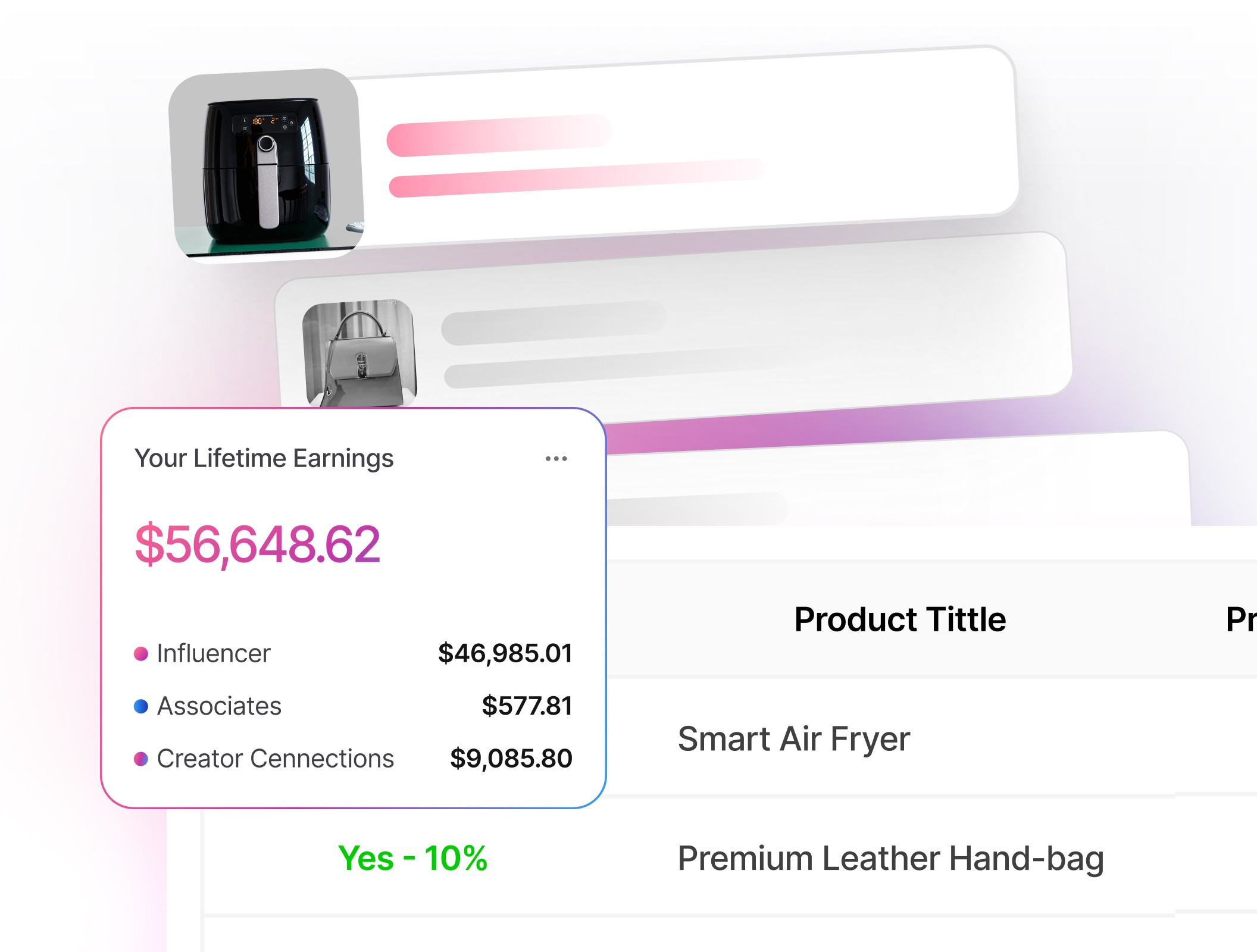
You can perform each check manually. Viral Vue gives U.S. Amazon creators one workspace for comparing product performance, commission opportunities, Creator Connections campaigns, and video competition before deciding what to film.

TL;DR
Shopper demand is only one part of a creator opportunity. Evaluate sales momentum alongside video competition, placement potential, and commission value before deciding what to film.
Start with Best Sellers Rank for momentum, then check how many influencer videos already sit on the listing.
Confirm direction and seasonality before you build a shoot calendar around a category.
Calculate what one sale actually pays using the onsite commission rate for that category, which is lower and more variable than most creators expect.
You can check each signal manually. Viral Vue’s web app and Chrome extension bring product history, commission data, campaign information, and video-competition metrics together so you can evaluate several candidates without building a separate spreadsheet.
Be cautious when one of the major signals looks weak, and pass when the remaining factors don't offset that weakness. Your cost is time, and time is the one input you cannot restock.
What “Demand” Means for a Creator
Product demand is sustained shopper interest that results in purchases. For an Amazon creator, a worthwhile opportunity also requires a reasonable chance of content placement and enough commission potential to justify the work.
The listing should already attract shoppers because creator content depends heavily on existing product-page traffic. A useful video may support conversion, but it cannot create meaningful demand for a listing that receives little attention.
Amazon must surface your content before it can generate on-site earnings. Available placements are limited, and Amazon controls which eligible videos appear to shoppers. The potential commission also matters because on-site rates vary by product category.
Two similarly priced products can therefore generate very different earnings. Your job is to evaluate demand, placement opportunity, and earning potential together before committing time or money to the product.
Core Demand Signals to Check
Sales indicators help you estimate whether a product receives enough shopper activity to justify further research.
Best Sellers Rank: The Quick Read
Best Sellers Rank is Amazon’s sales-based ranking within one or more product categories. It's often displayed in the Product Information or Product Details section of an Amazon listing. A lower rank generally indicates stronger recent sales relative to other products in that category.
BSR is useful as a directional signal, but Amazon doesn't publish the precise weighting or formula behind it. How to check it by hand:
Compare BSR across several relevant page-one listings so one unusually strong or weak product doesn't distort your assessment.
Check subcategory BSR too. A number one badge in a tiny sub-niche can inflate expectations.
Review BSR over several weeks when possible. A longer view can help you distinguish steady demand from temporary promotions, seasonal spikes, or stock-related changes.
Remember it's relative to a category and it isn't linear, so a move from 10,000 to 5,000 isn't a clean doubling of sales. Tracking BSR manually over several weeks usually requires a spreadsheet or another recordkeeping system.
Our historical data lets you compare BSR with changes in price, estimated sales, revenue, and review count without recording each update yourself.
Search and Discovery Signals
Amazon doesn't publish search volume to creators, but there's still plenty to read.
Amazon search suggestions reflect common or relevant queries, but Amazon doesn't disclose the exact volume behind each suggestion. Use them to understand shopper language, not as proof that a phrase has high demand.
Best Sellers, New Releases, and Movers & Shakers surface what is moving right now. Treat these as discovery tools, not proof that a product will convert for you.
Review pace can support your demand assessment. A consistent flow of recent reviews usually suggests ongoing sales, although reviews may appear well after the original purchase.
Don't use paid search as a shortcut for testing Amazon affiliate demand without reviewing Amazon’s current policies. Restrictions apply to paid placements, trademark bidding, destination URLs, and how Amazon is represented in advertising.
Amazon’s Associates policies prohibit bidding on Amazon trademarks in a way that creates prohibited paid search placements, so buying clicks to test demand isn't an option. Manual browsing can work for a small shortlist, but it becomes difficult when you need to compare many listings by sales, price, commission, campaign status, and video competition.
Viral Vue lets you filter a larger product pool by factors such as category, price, estimated sales, and commission opportunity before reviewing individual listings.
Trend and Seasonality
A product can look hot today and cool off next month. Google Trends helps here, but keep it in its lane. It measures Google searches rather than Amazon purchases, and the data is relative rather than absolute, so use it to spot seasonal windows and multi-year direction, not to size demand.
Give more weight to stable, recurring, or gradually rising patterns than to a single short-lived spike. Seasonal products can work well when content is published before shopper interest peaks.
The video may perform again in later seasons if the listing remains active and Amazon continues to surface it. Publish before the expected peak so the content has time to become eligible for placement. Amazon doesn't guarantee when or whether a video will be displayed.
What a Sale Actually Pays You
Interest without earnings isn't a business. This is the step creators skip most often, and the one that often determines whether a product is worth filming. Amazon creators may earn through different attribution and commission structures, including standard Associates links and eligible on-site content.
With standard Associates links, qualifying purchases are subject to Amazon's current attribution rules and commission schedule. On-site earnings follow a separate rate table and depend on eligible content, shopper engagement, and qualifying purchases associated with that content.
Because rates vary by category and can change over time, always verify Amazon's current U.S. commission statements before estimating potential revenue. When estimating what a product could earn, review these factors:
Commission category: Similar-priced products can earn very different commissions depending on their category.
Current selling price: A commission percentage applies to the product's current price, so earnings rise or fall when pricing changes.
Current commission rates: Use Amazon's latest rate table instead of assuming category percentages stay the same.
Expected earnings: Base your estimate on both the commission rate and a realistic expectation of qualifying sales rather than price alone.
Additional earning opportunities can also improve a product's potential:
Creator Connections campaigns: Eligible campaigns may add a brand-funded commission opportunity, although campaign terms, eligibility, timing, and budgets vary.
Amazon bounty events: Some qualifying customer actions may earn a fixed-fee bounty. Available offers and payout amounts change, so confirm the current schedule before including them in your projections.
When researching manually, you need to:
Check the product's current price.
Verify the applicable commission category and rate.
Review Associates Central for any active Creator Connections campaigns.
Calculate whether the potential return justifies the time and cost of creating the video.
Viral Vue brings estimated sales, commission information, and Creator Connections data into one view, making it easier to compare multiple products before deciding which ones to film.

Video Competition and Saturation
Strong demand with light video coverage is the sweet spot. Your competition includes other creator videos, merchant videos, and any existing content that already answers the shopper’s main questions. A crowded listing means your video may never surface no matter how good it is.
Scan for:
How many influencer videos are already linked to the listing, including the ones Amazon isn't currently displaying.
Whether merchant videos dominate the top carousel and whether creator videos are already appearing elsewhere on the listing. A merchant-heavy carousel may indicate an opportunity, but it doesn't guarantee creator placement.
Whether existing videos are recent and actually demonstrate setup, fit, or compatibility, or whether they are thin and skippable.
How fast new videos are arriving. Five videos that have sat there for months is a different bet than five that appeared last week.
Video saturation is one of the hardest signals to estimate accurately by hand. Counting visible carousel thumbnails may understate how many creator videos are associated with the listing because Amazon doesn't always display every video at once. Our Total Influencer Videos and carousel data provide a broader view of creator and merchant video competition.
Triangulate the Signals
Use multiple inputs so one noisy metric doesn't fool you.
Signal | What It Tells You | Where To Check | Watch-Outs |
Best Sellers Rank | Recent sales momentum vs. peers | Product page, category lists | Not linear; category size skews meaning |
Review pace | Whether the listing is selling now | Recent reviews and review count trend | Promotions and review bursts distort it |
Video saturation | Whether Amazon has room to place you | Influencer video count and carousel data | Carousel thumbnails undercount the field |
Commission per sale | What one conversion is worth to you | Category on-site rate, plus any bonus campaign | Price changes silently change your pay |
Creator Connections | Whether a brand is funding a bonus | Campaign data on the listing | Campaigns end when the budget runs out |
Checking these factors manually can become time-consuming across a large product list. We place sales indicators, commission information, campaign data, and video-competition metrics in one view so you can narrow the list before manually reviewing the strongest candidates.
Validate What It Pays Before You Film
Don't mistake market demand for your demand. Two creators can cover the same product and receive very different results.
Placement, category rate, content quality, audience source, timing, and shopper response can all affect earnings. After you confirm sales momentum and video room, stress-test the return on your time.
Estimated return per hour: Start with a reasonable range of eligible sales or earnings, rather than one precise forecast. Compare that range with the time and money required to purchase, film, edit, and monitor the content.
Price sensitivity: Model a 20% price drop. You have no pricing power, and your commission moves with it.
Listing stability: If the ASIN goes out of stock, becomes unavailable, or loses visibility, your earning opportunity may fall sharply. Favor listings with a history of stable inventory and seller activity. Give additional weight to listings with stable sellers, consistent inventory, reliable pricing, and a history of remaining active.
Campaign timing: If the product is attractive only because of a Creator Connections campaign, confirm that the campaign is active and review any available timing, rate, eligibility, and budget information.
If the return stays thin under reasonable assumptions, pass, even when demand looks strong. There's always another listing.
Examples
Specific scenarios highlight why certain high-volume products generate steady payouts while others fail to deliver profit.
Everyday Kitchen Tool
A garlic press shows several listings with BSRs between 1,500 and 4,000 in Kitchen and Dining, so the category is clearly selling. The problem shows up one step later. The top listings each carry more than thirty influencer videos, several recent and well shot, and Kitchen pays 1.25% on-site.
At a $15 price point, a sale returns about nineteen cents, and the creator would be joining a long queue for a carousel slot. Demand exists. The return does not. Skip it, or find a higher-priced kitchen item with a thinner video field.
Niche Pet Accessory
A collapsible dog travel bowl shows top listings with BSRs around 3,000 to 7,000 in Pet Supplies and fresh reviews arriving weekly. Most carry only merchant videos in the top carousel and fewer than five influencer videos total, so there is room. Pet Supplies pays 3% on-site, and two listings carry active Creator Connections campaigns adding a double-digit bonus.
Review highlights repeat the same complaints about spilling and a broken clip, which hands the creator an obvious topic. Google Trends confirms a gentle multi-year rise with a summer peak, so filming in April puts the video in place before the window. Demand is real, the lane is open, and the rate is workable. This one is worth the afternoon.
Actionable Steps / Checklist
A structured sequence transforms raw data into a repeatable system for selecting profitable products.
Define several specific buyer-intent searches that a shopper might use for the product.
Scan the page-one leaders for BSR, review pace, and how many influencer videos are already there.
Check the top carousel specifically. Merchant-heavy carousels may indicate an opening, but confirm the total number of creator videos before proceeding.
Confirm seasonality with Google Trends, and publish ahead of the window rather than inside it.
Look up the on-site commission rate for the category, and check whether a Creator Connections campaign is running.
Estimate earnings per video and compare it against the hours the shoot will take.
Prefer listings from established brands that stay in stock.
Greenlight only when demand, video room, and commission all check out.
For batch research, compare candidates in Product Vue and save the strongest options in Bucket Manager. After publishing, use our Videos and Profits dashboards to identify which products earned commissions and where eligible content received placement.
Glossary
Standard terms demystify how Amazon calculates commissions and ranks product placements for creators.
Best Sellers Rank (BSR): Amazon’s category sales rank for a product. Lower rank usually means higher recent sales. Visible to anyone on the product page.
On-Site Commission: What Amazon pays when it shows your content to its own shoppers. Compensation associated with eligible content that Amazon displays to shoppers on its platform. Amazon’s current on-site program terms govern qualification, attribution, engagement requirements, and rates.
Off-Site Commission: Standard Associates compensation for qualifying purchases attributed to an eligible affiliate link. The applicable attribution window, exclusions, and rates depend on Amazon’s current program rules.
Saturation: How many influencer videos are already linked to a listing, which shapes your odds of being placed.
Carousel: The rows of video on a product page. Amazon may display video content in different locations on a product page. Top placement is generally more visible, but Amazon controls the layout and may vary what individual shoppers see.
Creator Connections: An Amazon program through which eligible brands and creators can participate in campaigns with defined rates, requirements, timeframes, and budgets.
Earnings Per Video: The earnings attributed to a piece of content compared with the time and direct costs required to produce it. Use it as a retrospective performance metric rather than a guaranteed forecast.
FAQ
Q: Is BSR the same as sales volume? A: No. BSR is a relative rank within a category that updates with recent sales. It's useful for direction and for comparing listings against each other, not for exact unit counts.
Q: Can I see Amazon’s actual search volume data? A: Amazon doesn't provide all creators with a public, exact search-volume figure for every keyword. Some seller-facing research tools require Seller Central access or additional eligibility, so creators often rely on directional signals such as BSR, recent sales estimates, review activity, historical trends, and video competition.
Q: Can I run ads to test whether a product converts? A: Review Amazon’s current Associates policies before using paid promotion. Amazon places restrictions on paid search, trademark bidding, redirects, ad destinations, and how affiliate links are presented.
Q: A listing has a lot of influencer videos. Is it automatically a no? A: Not automatically. It can still work if the existing videos are weak, if merchant videos dominate the top carousel, or if a bonus campaign makes the economics work anyway. Check how recently those videos appeared.
Q: Do I have to use a tool for any of this? A: No. Every check here can be done manually, and it's worth doing by hand a few times so you know what you are looking at. The tradeoff is time. Manual research caps you at a handful of listings a session, and a saturation estimate based only on visible thumbnails may be incomplete because Amazon doesn't always display every associated creator video.
Q: How often should I recheck demand? A: Recheck the listing before purchasing the item and again before a planned batch shoot. Monitor fast-moving, seasonal, or campaign-dependent products more frequently because price, inventory, competition, and campaign status can change quickly.
Final Thoughts
Winning as an Amazon creator begins before you turn on the camera. Compare shopper demand, creator competition, placement potential, category commissions, and the true cost of producing the content.
Do this research manually when evaluating only a few products. For larger batches, Viral Vue organizes sales estimates, historical product data, Total Influencer Videos, carousel information, Creator Connections opportunities, and performance data in one web-based system. Make the final decision based on your budget, content style, and risk tolerance.
Use those tools to narrow the field, then apply your own judgment before purchasing or filming. The goal isn't to chase every popular listing. It's to consistently identify products with a realistic path from shopper interest to qualifying earnings.



Stop Guessing What to Post Next
Join TikTok Affiliates turning views into consistent commissions.