What Makes a Strong Amazon Influencer Storefront?
A strong Amazon Influencer storefront feels like a well‑merchandised boutique: clear intent, tight curation, and zero friction from discovery to checkout.
Feb 17, 2026
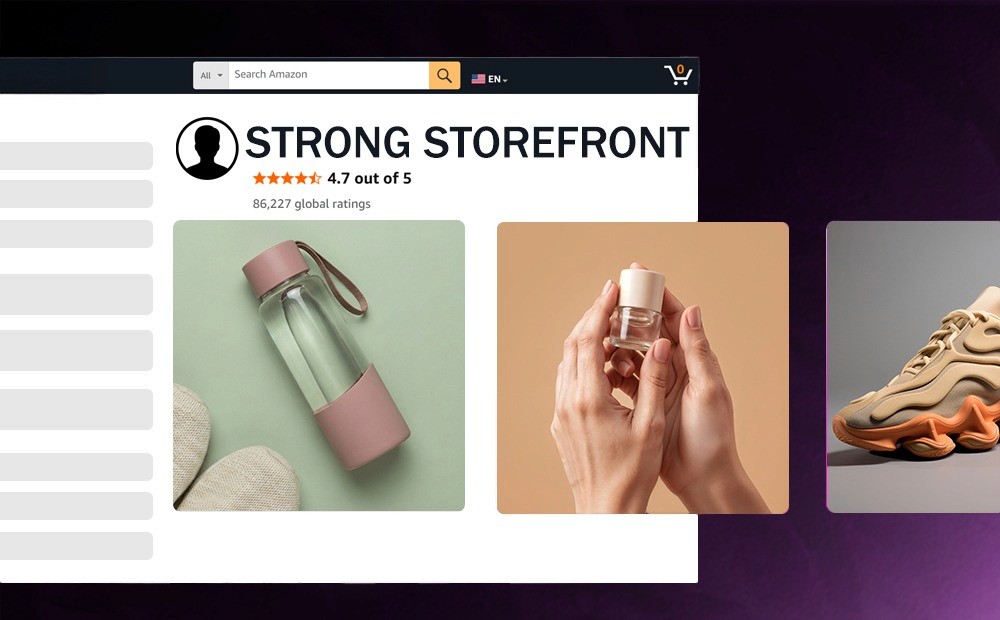
A strong Amazon Influencer storefront feels like a well‑merchandised boutique: clear intent, tight curation, and zero friction from discovery to checkout. Customers should know who you are, what you recommend, and why they should trust you within seconds.
This matters because your storefront is one of the few places where you control what you publish, while Amazon still controls moderation and where (or if) your content is distributed across onsite placements. Done right, it turns cold browsing into warm, high‑intent shopping, compounds trust over time, and earns income on and off Amazon.
TL;DR
Nail a clear niche and headline, then organize your page so shoppers find what they want in two clicks or fewer.
Mix formats that Amazon surfaces widely. Use short product videos, shoppable photos, idea lists, and livestreams.
Use concise copy, clean visuals, and comparison logic that answers buyer hesitations fast.
Disclose affiliate relationships clearly and follow both Amazon and FTC rules to stay safe and build trust.
Drive traffic from social to your vanity URL while working toward onsite placements. Once you’re eligible for onsite commissions, Amazon may choose to display your content across Amazon (not guaranteed).
Build the Foundation
Establishing a strong initial setup ensures your page remains organized and professional as your product catalog grows.
Start With Clear Positioning
Lead with a simple promise: who you help and with what. Your profile image and bio should reinforce that focus. While you don’t need to use a professionally taken photo, try to take something better than a selfie in a poorly-lit location. This is the first impression people will have of your storefront.
Name your curations plainly (for example: Small‑Apartment Kitchen, Carry‑On Travel Staples) so shoppers can self‑select quickly. A clear niche reduces decision fatigue and lifts conversion.
Structure for Fast Shopping
Treat your page like a store layout. Put your top evergreen list near the top, followed by seasonal picks and problem‑solving bundles. Use Idea Lists (grouped recommendations) for themes, and keep product counts tight so every scroll feels curated, not crowded.
Your vanity URL (amazon.com/shop/yourhandle) makes it easy to send traffic from social and podcasts. If you’re serious about offsite conversions, use deep links so viewers open directly in the Amazon app without extra friction. To reduce drop-off from Instagram/TikTok/YouTube, connect Viral Vue’s URL Vue so your links deep-link into the Amazon app and help viewers bypass extra steps like login screens.
Create Content Amazon Can Surface
When your media meets Amazon’s content guidelines, it may be considered for wider onsite placements, depending on Amazon’s selection.
Blend Formats That Work
Amazon surfaces several content types across the site. Use different types of video content together, including quick demos, fit checks, before/after, and 30-60 second explainers.
Once you’ve uploaded at least 3 videos that meet Amazon’s content guidelines, you may be eligible to sign up for onsite commissions. Then, Amazon may place your videos on product pages based on relevance and performance (not guaranteed).
Shoppable Photos: Styled shots (including simple collages where allowed) that tag products.
Shoppable Videos: Short demos and explainers that show the product in use.
Idea Lists: Tight collections that solve a specific need.
Livestreams: Real‑time education, Q&A, and deal‑driven moments using the Amazon Live Creator app, available to Influencer Program members.
Tip: Prioritize videos for products that need motion, sizing, sound, or setup. Use photos for style and context, and lists for quick buyer journeys. Maximize our video placement tracking to see where your videos are actually showing up (so you can double down on the products/categories earning onsite exposure).
Optimize Visuals and Copy
Keep videos steady, well-lit, and focused on the outcome the shopper wants. Front‑load the hook in the first 3 seconds. For photos, upload clean, high‑resolution images that meet Amazon’s basic file standards and keep text minimal.
In copy, use one or two specific benefits, a proof point, and a short who‑it’s‑for. It also helps to avoid unsubstantiated claims, especially around health or performance.
Storefront Content Strategy Comparison
This breakdown helps you match your content style to the shopper's intent, whether they are seeking a quick demo or a deep-dive product review.
Factor | Short Video | Shoppable Photo | Idea List | Livestream |
Best use | Demos, sizing, setup, sound | Style, context, bundles | Fast curation, gift guides | Launches, deep dives, deals |
Where it can appear | Storefront; eligible product pages after approval and onsite signup | Storefront and select placements | Storefront | Amazon Live hub and eligible site placements |
Effort level | Medium | Low | Low | High |
Quick tip | Lead with the result, then show how in one take | Shoot in natural light; tag 2-4 items max | Name lists by job to be done, not brand | Script segments, pre‑load carousel, pin FAQs |
Earn Trust the Right Way
Prioritizing authentic communication helps you cultivate long-term loyalty with shoppers who value honest product recommendations.
Disclose Clearly Every Time
Be transparent wherever you share links. Include a clear, conspicuous disclosure near each affiliate link (for example: paid link or #ad) and identify yourself as an Amazon Associate with the required statement on your site or any other location where Amazon authorizes you to display Program Content.
The FTC’s Endorsement Guides expect disclosures that are hard to miss and easy to understand, especially on mobile. Put the disclosure where the viewer will see it without tapping more.
Follow Platform and Policy Rules
Staying compliant protects your account and your audience’s trust.
Do not offer incentives, refunds, or gifts in exchange for reviews. Avoid any attempt to influence ratings or ask buyers to change or remove reviews.
Keep claims truthful and supported. If a result is atypical, state it explicitly.
Respect Amazon trademarks and brand usage guidelines in your off‑Amazon promotions.
Use Amazon’s tools (like the Live Creator app) and follow content and moderation standards for onsite placements.
Streamline the ‘busy work’ side of campaigns with Viral Vue’s Creator Connections automation. Accept eligible campaigns and submit related content in just a few clicks.
Drive and Capture Demand
This proactive approach helps you turn casual viewers into active buyers by making your curated storefront the central destination for all your affiliate links.
Balance Offsite Traffic and Onsite Reach
Your storefront thrives on two engines:
Offsite: Send followers to your vanity URL from Instagram, TikTok, YouTube, newsletters, and podcasts. Cut the number of clicks from content to cart.
Onsite: As your videos are approved and you enroll for onsite commissions, your content can qualify for placements like product detail pages and the Amazon Live hub. These compounds reach beyond your own audience.
Measure What Matters
Check reporting to learn which lists, videos, and products drive clicks, orders, and commissions. After that, reorganize your storefront around what’s actually producing revenue. Look for patterns by category, price, and use case.
Refresh under‑performing thumbnails, tighten titles, and reorder lists based on conversion, not just views. Small updates each week beat big overhauls each quarter.
Additionally, Viral Vue consolidates video placement, profits, and sales into one dashboard so you can quickly spot winners and prioritize what to film next.
Examples
These scenarios demonstrate how niche-specific content directly impacts click-through rates and customer purchasing behavior.
The Home Organizer
A creator focused on small‑space living built three anchor Idea Lists: Entryway Drop Zone, Under‑Sink Reset, and Tiny Pantry Wins. She filmed 12 phone‑shot videos showing one product per task, each under 45 seconds.
After those videos were approved and onsite commissions were active, several appeared on product pages, which doubled her daily clicks.
The Fitness Coach
A trainer built a storefront around three training levels. He used shoppable photos to show full kits (bands, mat, timer), then added quick videos to demo setup and safety.
He livestreamed once a month before big retail moments to answer sizing questions live. By naming lists after outcomes (First Pull‑Up, At‑Home HIIT Starter), he increased add‑to‑cart rates without adding more products.
Actionable Steps / Checklist
These specific tasks help you maintain a professional presence while maximizing your visibility across the entire platform.
Write a clear 1-2 sentence bio so people can instantly get an idea of who you are and what you review.
Create 3-5 Idea Lists that solve specific jobs. Limit each to 10-12 products to keep it nicely curated.
Get approved for onsite earnings by submitting 3 strong videos and undergoing moderation on them.
Once approved, record 100 crisp videos (hook, demo, result), then scale based on what earns placements and commissions.
Upload clean, high‑res images. Keep collages simple and tag only essentials.
Use your vanity URL everywhere. Add it to link in bio, YouTube descriptions, and podcast notes.
Add clear link-level disclosures and the required Associate statement where applicable.
Schedule one monthly livestream tied to a theme or deal moment.
Audit analytics weekly, using Viral Vue’s dashboard to help with this. Reorder lists and thumbnails based on conversion.
Refresh seasonal lists and pin timely guides near the top of your page.
Glossary
Clear terminology ensures you can navigate the technical requirements and compliance standards of the program without confusion.
Vanity URL: Your custom link to the storefront, like amazon.com/shop/yourhandle.
Idea List: A curated group of products organized around a theme or task.
Shoppable Photo: An image you upload with tagged, buyable products.
Onsite Commissions: Earnings from content placements that appear on Amazon, such as product pages or Live.
Special Link: A tracked affiliate link that credits purchases to your account.
Clear and Conspicuous Disclosure: A plain‑language notice placed close to a link or endorsement so that typical viewers will not miss it.
Amazon Live Creator App: The app Influencers use to create and manage livestreams on Amazon.
Moderation: Amazon’s content review process that approves or rejects videos and posts before broader placement.
FAQ
Q: How many videos do I need before my videos can appear on product pages?
A: Amazon indicates you may become eligible to sign up for onsite commissions after uploading at least 3 videos that meet content guidelines. After that, Amazon may place your videos on product pages based on relevance and performance (not guaranteed).
Q: Do I have to disclose on Amazon if Amazon already labels my page?
A: You should use clear, conspicuous disclosures whenever you share affiliate links and identify yourself as an Amazon Associate where required. This includes off‑Amazon posts and your own site. Clear transparency builds trust and aligns with FTC guidance.
Q: Do livestreams help sales, or should I stick to videos and lists?
A: All formats can work. Livestreams add real‑time education and community, while short videos and lists scale daily discovery. Use livestreams for launches and Q&A, and rely on videos and lists for evergreen traffic.
Final Thoughts
A strong Amazon Influencer storefront blends tight curation, crisp content, and consistent compliance. Focus on buyer outcomes, make decisions effortlessly, and keep your disclosures crystal clear. Over time, those small, disciplined improvements turn a simple page into a durable revenue engine.
Before you upload your next batch, run Viral Vue’s Amazon Influencer tools to catch missed product tags and other shoppability gaps, so every piece of content can convert when shoppers land on your storefront.
Stop Guessing What to Post Next
Join TikTok Affiliates turning views into consistent commissions.